

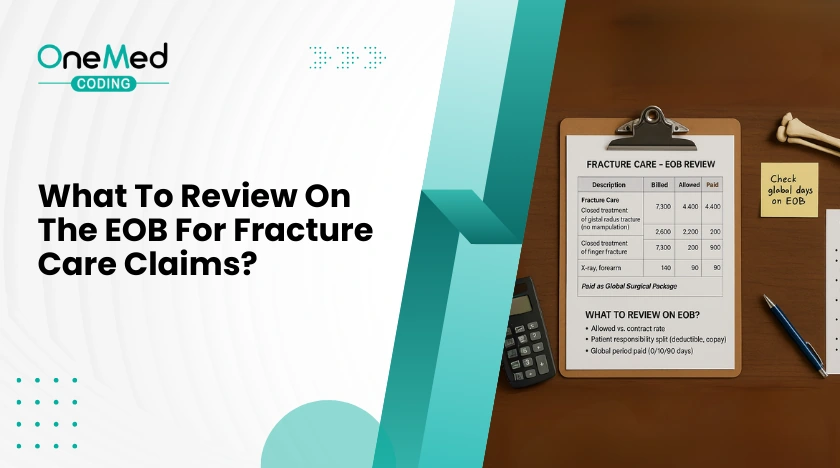
Reviewing the Explanation of Benefits, or EOB, is one of the fastest ways to spot coding and billing issues in fracture care. The EOB shows how the payor read your codes, your modifiers, your units, and your dates. When you know where to look, you can fix problems, appeal with confidence, and prevent repeat denials. This guide keeps it simple and focused on the checks that matter most for clinics and urgent care teams that treat fractures.
In this blog, we will cover:
- EOB basics for fracture care
- Global period bundling checks
- Modifiers that drive payment decisions
- Diagnosis linkage and ICD 10 details
- Casting and splinting with supply codes
- Units, MUE checks, and frequency edits
- Place of service and date logic
- Allowed vs paid, deductibles, and common adjustments
- Secondary payor and coordination of benefits notes
- Common denial and remark codes to watch
- Quick examples of fix and resubmit lines
- One page checklist before you appeal
- Conclusion
EOB basics for fracture care
Start at the claim line, not just the total. Match each CPT to its ICD 10 code. Confirm the date of service, place of service, billed charge, allowed amount, patient responsibility, adjustments, and denial or remark codes. If a code paid zero, look for a reason code that explains the decision. Your goal is to connect that code to a fixable issue, such as a missing modifier or a date inside a global period.
Global period bundling checks
Fracture care often includes a global surgical period. If the EOB shows an adjustment that says the service is included in another payment, you may be inside the global. Check the global start date on the original fracture care code. Visits within the global may need a modifier to separate the work. If the visit truly addressed a new problem or a complication, document it clearly and use the correct modifier for the situation.
Modifiers that drive payment decisions
Modifiers 54, 55, and 56
These split care between providers.
- 54 indicates surgical care only.
- 55 indicates postoperative or follow up care only.
- 56 indicates preoperative care only.
On the EOB, make sure the modifier you used matches your role. If you only did the initial fracture treatment, the EOB should reflect modifier 54 and a reduced allowed amount. If you took over follow up, the EOB should reflect modifier 55 beginning on the transfer date.
Modifier 25 with same day E/M
If you billed an E/M on the same day as fracture care, the EOB may deny the E/M as included. Use modifier 25 only when the visit is significant and separate from the procedure. The EOB should show payment for both lines when documentation supports a separate decision process. If denied, read the reason code and attach a short note that shows why the visit was distinct.
Diagnosis linkage and ICD 10 details
Laterality
Many injury codes require right, left, or bilateral. If the EOB denies for mismatch or unspecified diagnosis, check the last character of the code for side. Fix the code to match the note and resubmit.
Encounter type and aftercare
Injury codes use seventh characters to show the phase of care. Initial, subsequent, or sequela. If the EOB flags diagnosis inconsistency, make sure the seventh character matches the visit. Use initial for active treatment, subsequent for routine healing, and sequela for late effects. For aftercare visits, many fracture cases still use the injury code with the correct seventh character rather than a general aftercare code. Confirm your payor rules before you switch.
Casting and splinting with supply codes
If you applied or replaced a cast or splint, check that both the application CPT and the supply HCPCS appear. The EOB should show allowed amounts for each where policy permits. If supplies are missing, the EOB will only show the application code. Add the correct supply code and units, then resubmit with a brief note.
Units, MUE checks, and frequency edits
If the EOB shows a units denial, you may have hit a Medically Unlikely Edit. Confirm the unit limit for that CPT on one date of service. Review the chart to see if the extra units are truly supported. If yes, attach clinical notes and a short rationale. If no, correct the units and resubmit.
Place of service and date logic
Fracture care spans multiple visits. The EOB should match the place of service for each line, such as office or urgent care, and the correct date. If the EOB denies for an invalid place or mismatched date, verify that your claim reflects the actual setting and that the global follow up dates are accurate. Correct the claim and include a line in your appeal that states the correct location and date of service.
Allowed vs paid, deductibles, and common adjustments
Do not confuse allowed amount with paid amount. The EOB may reduce payment for several reasons. Patient deductible, coinsurance, copay, fee schedule differences, or policy adjustments. Common codes include reductions to the fee schedule or sequestration for Medicare. Separate true coding denials from cost sharing so you do not chase the wrong issue.
Secondary payor and coordination of benefits notes
If the EOB shows a coordination of benefits message, the plan expects another payor to pay first. Make sure the primary payment information moves to the secondary claim. If information is missing, attach the primary EOB and resubmit. When the EOB denies for coverage termination, verify eligibility and the active plan on the date of service.
Common denial and remark codes to watch
- Bundled or included indicates global period or unbundled services.
- Modifier missing or invalid points to 25, 54, 55, or 56 errors.
- Diagnosis mismatch or unspecified points to laterality or encounter type issues.
- Units exceed limit signals an MUE failure.
- Coordination of benefits indicates a primary payor issue.
Read the code text on the EOB and match it to a specific fix in your chart or claim.
Quick examples of fix and resubmit lines
- “E/M visit was significant and separate from fracture treatment. Added modifier 25. Note attached.”
- “Provider delivered surgical care only. Added modifier 54. Global care transferred on 04 10. Claim corrected.”
- “Diagnosis updated to left distal radius fracture with initial encounter. Laterality corrected. Resubmitting.”
- “Applied short arm cast. Added supply code and units. Documentation attached.”
- “Units corrected to one per policy. Chart supports single application. Resubmitting.”
One page checklist before you appeal
- Match CPT to ICD 10 on each line and confirm laterality and encounter type.
- Check global period logic and add the correct modifier if the visit is truly separate.
- Confirm role of care and apply 54, 55, or 56 as needed.
- Add or correct casting and splinting supply codes.
- Verify units against MUE limits.
- Confirm place of service and date accuracy.
- Separate cost sharing from coding denials.
- If secondary payor applies, attach the primary EOB.
- Write one clear sentence that explains the fix.
- Send the corrected claim or appeal with supporting notes
Conclusion
A careful EOB review turns guesswork into a short list of fixes. Check for global period issues, missing or wrong modifiers, diagnosis details like side and encounter type, missing supply codes, and unit limits. Make sure the place of service, date, and payment amounts are correct. Add one clear sentence in your note that explains the correction. Keep this checklist handy and use it whenever a fracture claim denies so you can correct errors and prevent repeat denials.




0 Comments